Portfolio
The portfolio is for an organization that looks after other organizations: a group whose companies each keep their own books in Stabiso, a family office and its holdings, a franchisor and its franchisees, or an outside firm an organization chooses to bring in. The company that is looked after decides who gets in, what they may do and for how long, and can shut the door at any time. A group's own books and its consolidation stay in Consolidation.
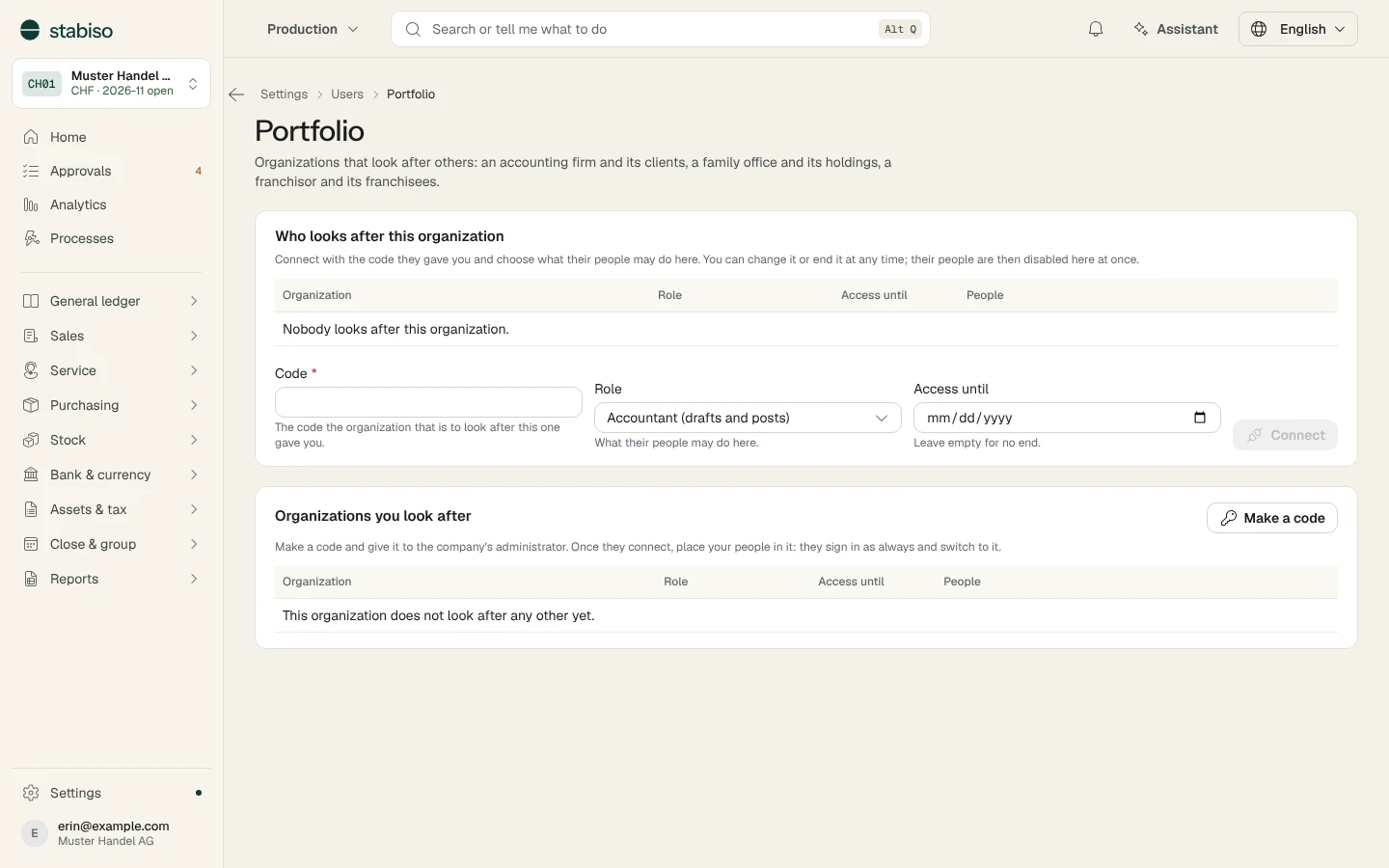
Both sides work on Settings → Portfolio (an administrator).
Connect a company
-
The organization that looks after makes a code. Under Organizations you look after, Make a code shows a one-time code. Give it to the company's administrator. It works once, for 14 days.
-
The company connects. Its administrator enters the code under Who looks after this organization and chooses what the other organization's people may do there:
- Viewer: reads;
- Accountant (the default): reads, drafts and posts;
- Controller: also approves, as the company's approval rules allow.
An end date for their access is optional (at most two years ahead).
-
The organization places its people. Under Organizations you look after, pick a person for each company. They sign in as always and switch to the company from the organization menu.
What a placed person is in the company
A placed person gets a user record of their own in the company, named after them and their organization (for example Anna Keller (Muster Treuhand AG)), with the role and end date the company chose. Everything they do there follows the company's rules: its approval policy and four eyes, its areas, its posting limits, and the audit trail, which names them. They have no other way in. A placed controller appears in the company's approver register with their organization.
If the company already has its own user record for the same address, the person is not placed: the company manages that record itself.
Change or end it
- The company changes the role or the end date for everyone placed at once, or chooses Disconnect. Disconnecting disables every placed person in the company at once and ends their sessions. Their earlier work stays in the audit trail under their names.
- The organization that looks after takes a person out of one company, or chooses Stop looking after to end the connection from its side, with the same effect.
- A person who leaves: disabling them on Settings → Users of their own organization disables them in every company they were placed in.
- A placed person the company disables itself on Settings → Users is no longer counted as placed.
Rules
- Each organization sees only its side of the connection: the other's name, the role, the end date and the people placed. Nothing else of the other organization is read.
- One connection between the same two organizations at a time; a used, wrong or old code is refused.
- Connecting, placing, taking out and ending are in the audit trail of both organizations.
- Test copies are never part of a portfolio.
- A person who signs in only through their own organization's company sign-in reaches only their own organization; to work in a company they sign in with Google or a password.
Coming next
One screen across all the companies looked after (what waits for a person, approvals, closes at risk), then sharing that work out inside the team and counting the minutes it takes.
The API: Portfolio.